
Add citations and bibliographies to your Google Docs
Finally a reference manager for Google Docs. Simple, correct, fast and fully collaborative.
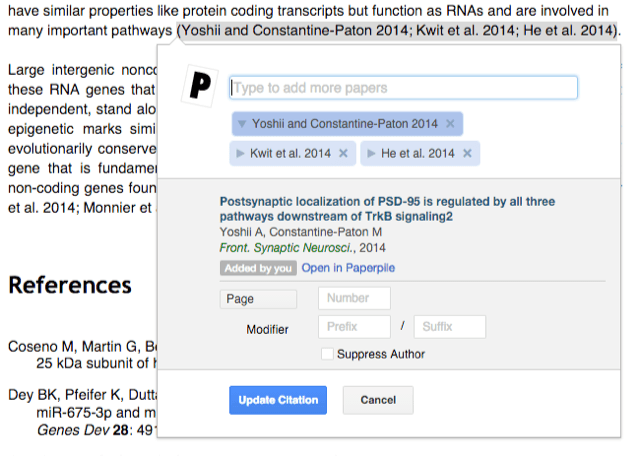
Cite as fast as you can write
Look up references from your library or online databases. Compile in-text citations with one or multiple references.
Tweak your citations with additional options like page or chapter numbers. All in a simple but powerful citation dialog.
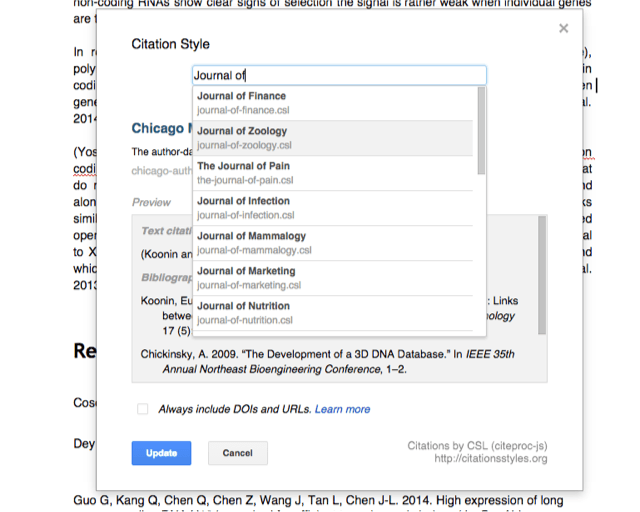
Choose a style and submit with confidence
Format your citations and bibliography in any major citation style like APA, MLA, Chicago or in one of thousands of journal-specific styles.
Need a style with special requirements? Upload and use your own customized citation style.
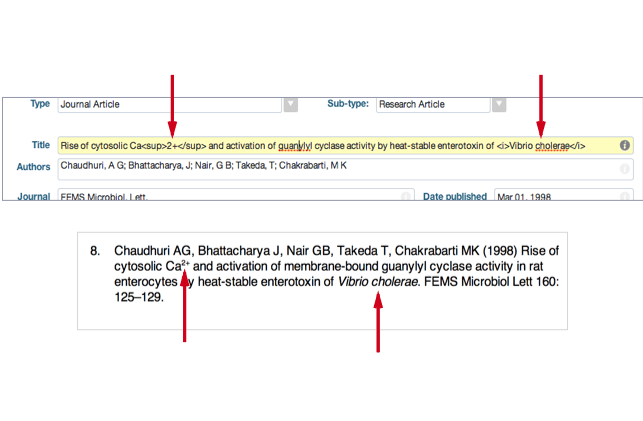
Italics and superscripts
Make sure species names are set correctly in italics and superscripts are not lost.
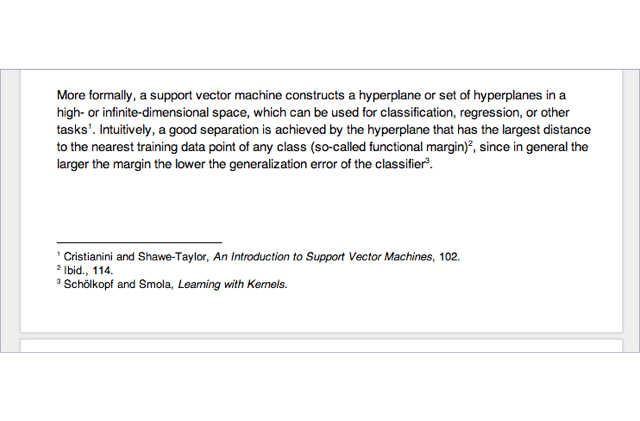
Footnote citations
Get footnote citations right. And all the ‘ibid.’ and ‘et al.’…
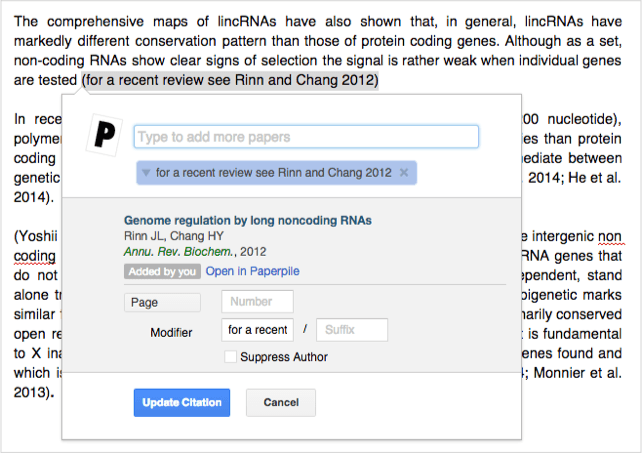
Custom citations
Customize your citations so they fit perfectly in your sentence.
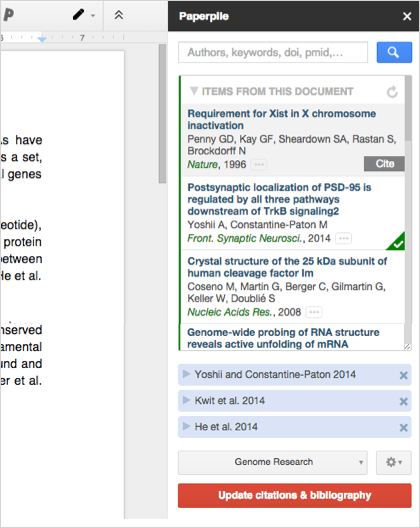
True collaborative reference management
Edit your documents together in real time. Everyone can add and edit citations.
- Just share your document and ask your co-authors to install the free Google Docs sidebar add-on.
- It's free, no Paperpile account or subscription is required and works in every browser.
- No emailing of documents, clunky desktop software to download, version conflicts or broken references.